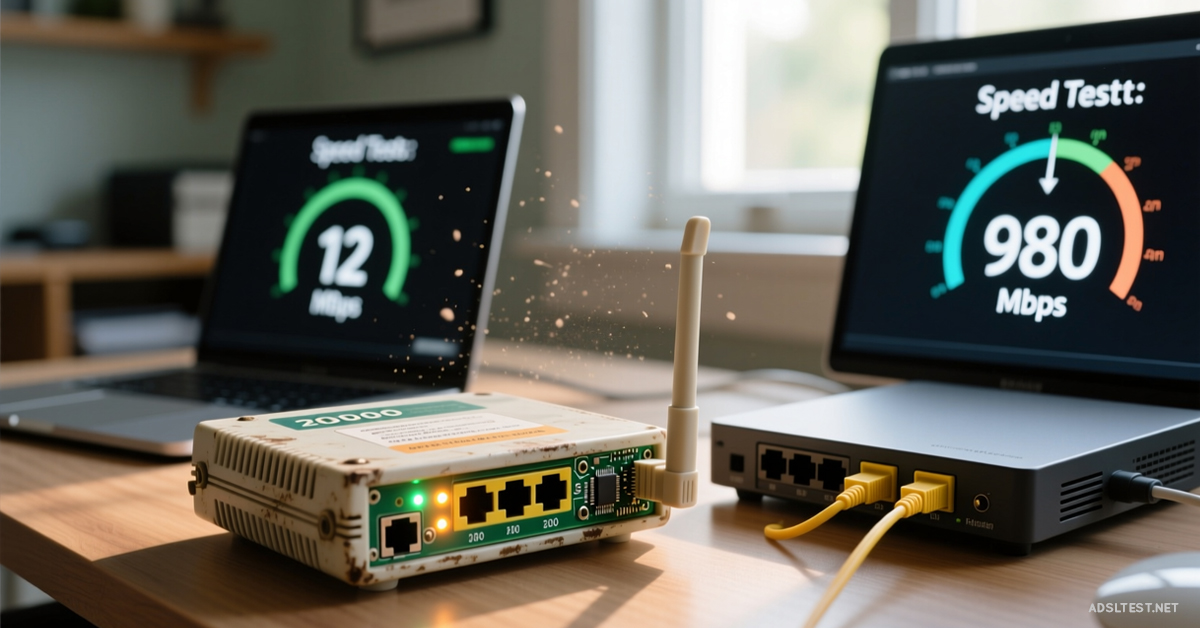
Your old router doesn’t have to be a speed anchor. Before you spend money on new hardware, a few strategic tweaks can breathe new life into it. Here’s how to squeeze every last drop of performance from your aging router.
Step 1: Give It a Hard Reset & Update the “Brain”
Years of settings clutter and outdated software slow it down.
Perform a Factory Reset: Find the small reset button on the back. Use a paperclip to hold it down for 10-15 seconds until all lights blink. This wipes old, glitchy settings. You’ll need to set it up again from scratch.
Update the Firmware: This is critical. Log into your router’s admin page (usually 192.168.1.1). Navigate to Administration > Firmware Update. If an update is available, install it. This fixes bugs, improves stability, and can sometimes add new features.
Step 2: Optimize Its Placement & Environment (Free Speed)
Your router’s location and surroundings are choking its signal.
The “Central & High” Rule: Move it to the center of your home, on a high shelf. Avoid placing it inside a cabinet, behind a TV, or on the floor. Every wall and obstacle reduces signal strength.
Create a 1-Foot “No-Fly Zone”: Keep it away from other electronics. Microwaves, cordless phone bases, baby monitors, and Bluetooth speakers cause major interference. Even a power strip right next to it can cause noise.
Step 3: Change Channels to Avoid the Crowd
In apartments and neighborhoods, all routers broadcast on the same few channels, causing a traffic jam.
For the 2.4 GHz Band: Log into your router settings and manually set the channel to 1, 6, or 11. These are non-overlapping. Try each one; use whichever gives you the best speed test result.
For the 5 GHz Band (if available): Set it to a high-numbered channel like 149, 153, 157, or 161. These are often less crowded.
Step 4: Prioritize Your Device with QoS
Old routers struggle to manage traffic when multiple devices are active.
Enable Quality of Service (QoS): In your router settings, find the QoS section. Set your gaming console, work laptop, or streaming box as the “Highest Priority” device. This tells the router to give that device’s traffic the right-of-way, reducing lag during video calls or gaming.
Step 5: The $20 Antenna Upgrade (If Applicable)
If your old router has detachable external antennas, you can give it a major range boost.
Purchase high-gain replacement antennas (often 5dBi to 9dBi). Unscrew the old ones and screw in the new ones. Point them vertically for best horizontal coverage. This can significantly improve signal reach to distant rooms.
Step 6: Split the Networks & Use 5 GHz for Speed
If your router is dual-band (broadcasts both 2.4 GHz and 5 GHz networks), use them strategically.
Give each network a distinct name (e.g., “YourNetwork_5G” and “YourNetwork_2G”).
Connect speed-critical devices (laptop, phone, tablet) to the 5 GHz network when they are near the router. It’s faster.
Connect range-critical or smart home devices to the 2.4 GHz network. It travels farther through walls.
Step 7: Reduce the Load on the Router
An old router has a weak processor. The more devices connected, the slower it runs.
Disconnect devices you aren’t using. That old tablet in a drawer that’s still on the Wi-Fi? Forget the network on it.
For stationary devices (like a smart TV or desktop PC near the router), use an Ethernet cable. This takes them off Wi-Fi entirely, freeing up wireless bandwidth and processing power for other devices.
When to Finally Give Up: The Signs
If you’ve done all the above and still experience:
Frequent, unexplained dropouts
Speeds below 20 Mbps when you pay for 100+ Mbps (on a wired test)
Inability to handle more than 3-4 connected devices at once
…Then the router’s hardware is truly failing. It’s time to upgrade to a modern Wi-Fi 6 router, which will feel like a quantum leap.
Bottom Line: Your old router likely has untapped potential. A reset, a firmware update, smarter placement, and channel changes can collectively boost performance by 30-50% for $0. Treat it like a classic car—a little tuning goes a long way. But know when it’s finally time for the junkyard.
2026 Global Internet Speed Ranking: Top 10 Countries with the fastest internet speed
Fastest Internet in Europe: 2026 Country Rankings
Cities with the Fastest Internet in the World (2026 Data)
Global Mobile Internet Speed Ranking for 2026 : Top 10 countries