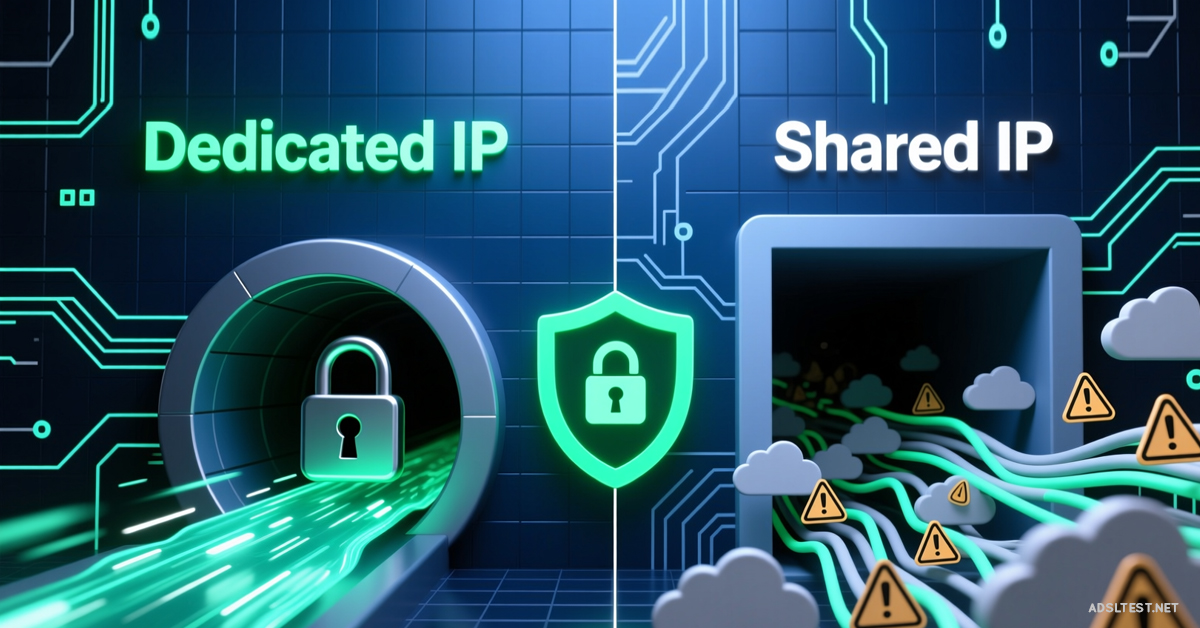
Choosing between a shared or dedicated IP is a trade-off between perfect anonymity and everyday convenience. Your decision can mean the difference between smooth access and constant security captchas. Here’s the real impact on your browsing.
Shared IP VPN: The Anonymity Crowd
How it Works: You are assigned a single IP address that thousands of other VPN users share simultaneously. Your traffic is mixed in a “noise pool.”
Pros:
Superior Anonymity: It’s virtually impossible to tie any online activity back to you personally. You’re a needle in a haystack.
Ideal for Sensitive Activities: Best for whistleblowing, journalism, or accessing restricted content where being untraceable is paramount.
Usually Cheaper: The standard offering for most VPNs.
Cons:
The “Bad Neighbor” Effect: If another user on your shared IP spams, scams, or torrents aggressively, that IP can get blacklisted. You’ll face more CAPTCHAs, blocked logins, and might even be barred from sites like banking portals or Netflix.
Slower Speeds (Potential): If thousands are hammering the same server/IP, you may experience congestion during peak times.
Dedicated IP VPN: Your Personal Digital License Plate
How it Works: You rent a unique IP address that only you use. It’s tied to your account but still hosted by the VPN provider.
Pros:
Fewer Blocks & CAPTCHAs: Websites see consistent, “clean” traffic from your IP. You’ll rarely see security checks and can reliably access banking, email, and streaming services.
Better for Business & Remote Access: Essential for accessing work servers, FTP sites, or online banking that whitelist specific IPs for security.
Consistent Speed: No risk of being slowed down by other users’ heavy traffic on your IP.
Cons:
Reduced Anonymity: Your activity is tied to a single IP rented in your name. While the VPN provider may not log what you do, they know that IP belongs to you. It’s less private.
More Expensive: Typically costs $2-$7 extra per month on top of your base VPN subscription.
Not for High-Risk Activities: Avoid for anything requiring maximum anonymity (e.g., political activism in restrictive regions, intense P2P).
Head-to-Head: Which Should You Choose?
Your Primary Goal
Recommended IP Type
Why
Maximum Privacy/Untraceability
✅ Shared IP
You disappear into the crowd.
Avoiding CAPTCHAs & Blacklists
✅ Dedicated IP
You maintain a “clean” online reputation.
Accessing Work Servers/Banking
✅ Dedicated IP
Required for IP whitelisting.
General Streaming & Browsing
✅ Shared IP
Good enough, and cheaper.
Torrenting/P2P File Sharing
⚠️ Shared IP (with caution)
Anonymity is key, but know the IP may be flagged.
The Critical Misconception About Dedicated IPs
A dedicated IP does not make you invisible—it makes you consistent. Your ISP can still see you’re connected to a VPN; they just see you always going to the same VPN IP address. For true anonymity, a shared IP is always superior.
How to Get a Dedicated IP & Test It
Purchase: It’s an add-on from your VPN provider (NordVPN, Surfshark, etc., offer it).
Test for Leaks: Once connected to your dedicated IP, visit IPLeak.net. It should show only your new, unique IP and the VPN’s DNS servers. Your real IP must not appear.
Test Access: Try logging into a sensitive service like your bank or Google account. Note if you encounter fewer security hurdles.
The Final Decision: This isn’t about “better,” it’s about purpose.
Choose Shared IP for privacy. You are anonymous but may face digital roadblocks.
Choose Dedicated IP for convenience. You trade a slice of anonymity for seamless access.
Ask yourself: “Am I hiding from trackers, or just tired of solving CAPTCHAs?” Your answer points directly to the right IP for you.
2026 Global Internet Speed Ranking: Top 10 Countries with the fastest internet speed
Fastest Internet in Europe: 2026 Country Rankings
Cities with the Fastest Internet in the World (2026 Data)
Global Mobile Internet Speed Ranking for 2026 : Top 10 countries